Meta Conversions API for Lead Gen: Optimize for Customers, Not Form Fills
Meta's ad delivery system is very good at finding more of whatever you tell it to find. Tell it "people who submit forms" and it will find form-fillers: tyre-kickers, students doing research, people who tapped by accident. Tell it "people who become customers" and it finds people who look like your customers.
The catch: Meta only knows what you send back. If the last signal it receives is the form submission, that is all it can optimize for. LeadNudge fixes that by sending your CRM pipeline stages back to Meta's Conversions API and to Google Ads offline conversions, automatically, the moment a lead qualifies.
Weak Signals vs Strong Signals
A form fill is a weak signal. It tells Meta someone was interested enough to submit pre-filled details, which takes about four seconds. It says nothing about whether they picked up the phone, booked an appointment, or signed.
Your CRM stages are strong signals. "Contact established", "appointment booked", "qualified", "converted": each one carries real information about lead quality, because your sales team verified it with an actual conversation. That information usually dies inside the CRM.
The closed loop works like this:
- A lead arrives from Meta lead ads and enters your pipeline.
- Your team works the lead. It moves through stages as it qualifies.
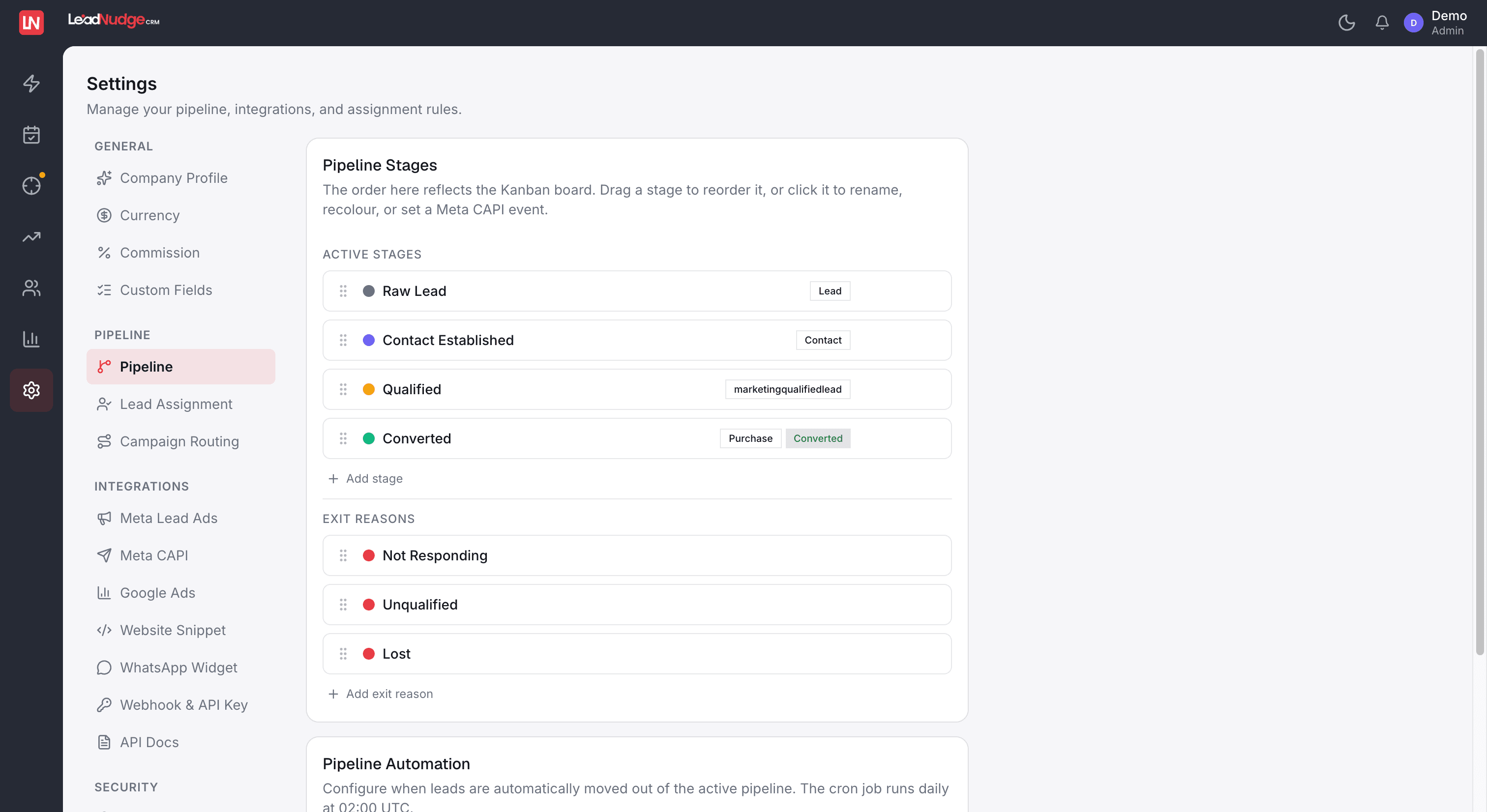
- When the lead reaches a qualifying stage, LeadNudge fires the event natively to Meta's Conversions API. No connectors, no exports, no scheduled uploads.
- Meta's delivery system learns which of the people it sent you actually became qualified leads and customers, and shifts delivery toward people who resemble them.
- Meta / Google Ad
- Lead captured in LeadNudge
- Lead moves through pipeline
- Conversion fired to Meta CAPI + Google Ads
Each pipeline event maps to a standard conversion event: marketing qualified lead, sales qualified lead, and Purchase when the deal closes. Meta receives a graded picture of lead quality, not a binary "submitted a form".

What This Does to Your Cost Per Quality Lead
The immediate effect is on who sees your ads. Instead of optimizing toward the cheapest possible form fill, Meta optimizes toward the profile of people your sales team confirmed as real prospects. Over time your lead volume may look similar while the composition changes: fewer wrong numbers and casual browsers, more people with genuine intent and budget.
Meta's own published guidance on using the Conversions API with CRM data cites up to 15% lower cost per quality lead. That figure is Meta's, from their documentation on CRM integrations, and it matches the direction we see: when the algorithm knows what a good lead looks like, it stops paying for bad ones.
The signal quality depends on the pipeline being honest. This is where AI lead scoring helps: leads are scored 0 to 80 on arrival, so your team qualifies the right leads faster, and the events flowing back to Meta reflect genuine progression rather than guesswork.
The Google Ads Equivalent: Offline Conversions
Google has the same blind spot. A campaign driving form fills gets judged on form fills, and Smart Bidding optimizes toward whatever conversion action you feed it.
LeadNudge sends the same pipeline events to Google Ads as offline conversion imports. When a lead that originated from a Google campaign reaches a qualifying stage or closes, that outcome is reported back against the original click. Two things follow:
- Bidding improves. Smart Bidding can optimize toward qualified leads and closed deals instead of raw submissions.
- Reporting gets honest. You see which campaigns and keywords produce customers, in your ad account, next to spend.
One pipeline, both platforms, zero manual uploads. Nobody on your team exports a CSV of closed deals and uploads it to an ads interface again.
A Conversion Signal You Never Sent Is Worth Nothing
The failure nobody notices is the one where an event is simply never delivered. A platform hiccup, a token that expired overnight, a deploy at the wrong moment, and the signal is gone. Nothing errors on your screen, the lead still moves through the pipeline, and the ad platform quietly learns from an incomplete picture for weeks.
Every conversion in LeadNudge is written to a durable queue before the send is attempted, so a crash mid-send leaves a record rather than a gap. Anything that fails is retried automatically on a backoff, and anything that keeps failing surfaces to us rather than sitting silently in your account. The point of a feedback loop is that it is unbroken; a loop with holes in it teaches the algorithm the wrong lesson.
Two Meta Leads, Counted Separately
An instant form filled in inside Instagram and an ad click that converted on your own landing page are both Meta spend on the same campaign, and they are not the same lead. One is cheap and low intent; the other sat through your page first.
Both are recognised and counted against the campaign that paid for them, including clicks that carry only a UTM template and no click ID, which is where the website half is usually lost into an anonymous bucket. Full detail on the lead attribution page.
Why "Native" Matters
Plenty of teams attempt this loop with middleware: a workflow tool watches the CRM, formats the payload, and posts to the API. It works until it does not. Field mappings drift, tokens expire, and a broken sync sends silence, which the algorithm reads as "no conversions".
In LeadNudge the conversion signal is not an integration, it is a feature of the pipeline itself. Move a lead to a qualifying stage and the event fires. There is nothing separate to configure per campaign and nothing extra to pay for: like everything else in LeadNudge, it is included on every account. See CRM software in Dubai for how this fits the full platform.
Set Up in Under a Day
Connect your Facebook page and your Google Ads account, confirm which stages map to which events (sensible defaults are preconfigured), and the loop is live. Setup for the whole platform takes under a day, and the events start flowing with the first lead that qualifies.
FAQ
Common questions.
Feed the Algorithm the Truth
Your ad account is only as smart as the signals it receives. Send it form fills and it buys form fills. Send it customers and it buys customers.
10-day free trial · Full access · No credit card required